
About this project
MakerNice is an AI video and image generation API for developers and product teams who want access to many frontier models without opening a separate vendor account for every model lab. One API key and one prepaid balance give you 12 video models and 4 image models through a single, consistent request format.
The video lineup includes ByteDance Seedance 2.5, Seedance 2.0 and Seedance 2.0 Fast; the MiniMax H3 family (Hailuo 3), including H3 Max and H3 Max Turbo; Alibaba Wan 3.0 and Wan 3.0 Prime; Kuaishou Kling 3.0 in Pro, Standard and 4K variants; and Happy Horse 1.1. For images you can call Seedream 5.0 and 5.0 Pro, plus Qwen3 Image and Qwen3 Pro Image. Supported modes include text-to-video, image-to-video, first-and-last-frame and reference-to-video, wherever the upstream model offers them.
Because every model shares the same request shape, switching models is usually a one-field change. That makes it practical to compare outputs side by side, route different jobs to different models, or fall back to another model when one is busy, all without rewriting your integration.
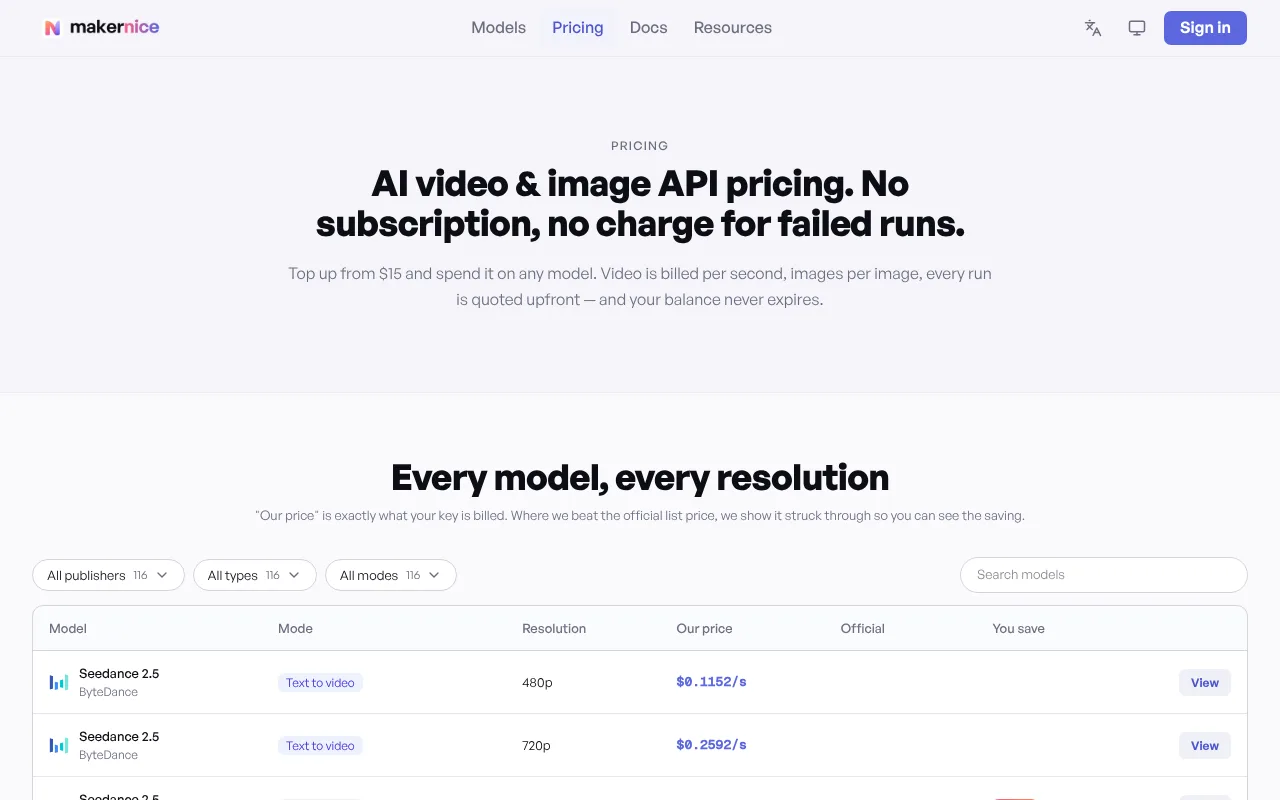
Pricing is transparent and public. The full price list is available on the pricing page and through a public pricing endpoint that needs no key. Video is charged per second of requested duration, and images are charged per image. Every generation starts with a quote, so you see the exact cost before you commit, and the quoted price is locked for 12 minutes. MakerNice holds the quoted amount while the job runs and only charges when a result is delivered. If a generation fails, or you cancel it while it is still queued, the hold is released in full, so failed runs cost nothing.
There is no subscription. You top up a prepaid balance starting at $15, balances do not expire, and you can set per-key spend limits to keep test keys and production keys under control.
Integration takes three calls: request a quote, create the job, then poll for the result. Idempotency keys prevent double charges when your code retries a request, and automatic failover routes around upstream channel outages to keep jobs moving. Clear documentation and a public llms.txt file make it easy for both developers and AI coding assistants to get started.
If you would rather try models before writing code, the Create interface in the MakerNice console lets you run the same models at the same prices with no programming required.
Typical uses include AI video features inside apps, marketing and social video production pipelines, product image generation, creative tools, and prototyping with several models before choosing one for production. Learn more at makernice.com, browse the models page, or start with the quickstart in the docs.
 @makernice
Maker on sideprojects.net
View profile
@makernice
Maker on sideprojects.net
View profile